
Fision TV+
Mobile App
Need entertainment while on the move?
Enjoy access to over 150 channels even when you’re not connected to Fision Wi-Fi. Channel availability is based on your subscription.
How to watch on-the-go:

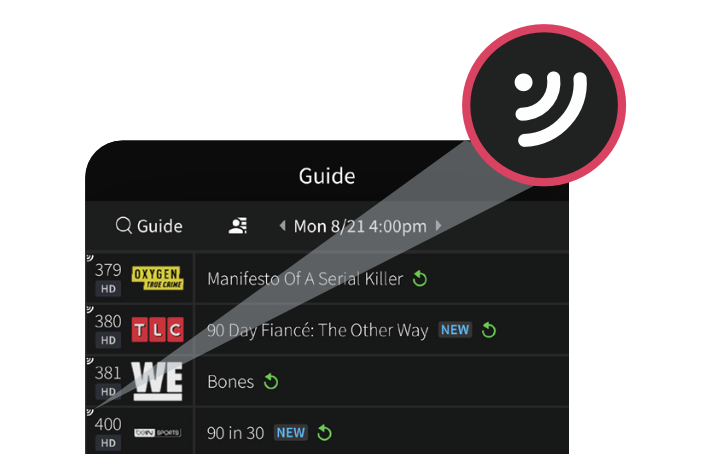
Launch the Fision TV+ app and navigate to Guide on the bottom.

Look for the streaming icon on the Guide. These channels are available to you on-the-go even when you're not connected to Fision Wi-Fi.


Select the channel you want to watch and enjoy.
Note: Content that does not have the streaming icon is only accessible when your device is connected to Fision Wi-Fi.


Back